
Getscreen Lifetime Deal
Getscreen.me Lifetime Deal
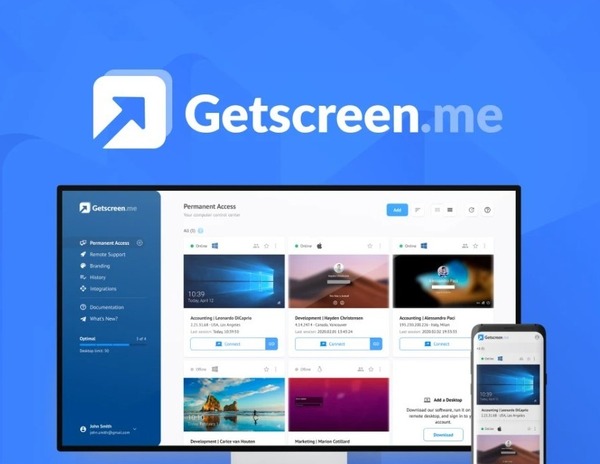
Getscreen is the ultimate in remote desktop access. With a single click, you can access your desktop and the desktops of your clients from any web browser. Easily set up personal accounts and securely share connections with your clients, so that they no longer need to remember connection passwords. With Getscreen.me, you will enjoy a faster and more secure way to access your desktop from anywhere.
Top Highlights
- Instant connection from a web browser
- Simple user-friendly personal account
- One-click Remote Desktop Access
- Secure Connection
- Invite Clients Easily
- Automate Password Sharing
What's included in Deal?
Getscreen Lifetime Deal
License Tier 1
One-time purchase of $99
- Simultaneous connections
- Joint connections
- Quick connection by invitation
- Integration with your platform
- Connection history and recordings
- Commercial use
- Stack 1 code to receive:
- Permanent access – 10 devices
- Quick support – 5 clients per day
- Video recording – 20 GB
- Size limitations for one transferred file – 4 GB
- Black Screen
- Stack 2 codes to receive:
- Permanent access – 50 devices
- Quick support – 50 clients per day
- Video recording – 40 GB
- Size limitations for one transferred file – 40 GB
- Team – 2 additional accounts
- Black Screen
- Stack 3 codes to receive:
- Permanent access – 100 devices
- Quick support – 100 clients per day
- Video recording – 60 GB, Black Screen
- Size limitations for one transferred file – 100 GB
- Team – 7 additional accounts
- Branding (title, icon and subdomain for links)
- Black Screen
- Wake-on-LAN
- Stack 4 codes to receive:
- Permanent access – 150 devices
- Quick support – 150 clients per day
- Video recording – 80 GB
- Size limitations for one transferred file – 120 GB
- Team – 15 additional accounts
- Branding (title, icon and subdomain for links)
- Black Screen
- Wake-on-LAN
- Stack 5 codes to receive:
- Permanent access – 200 devices
- Quick support – 200 clients per day
- Video recording – 100 GB
- Size limitations for one transferred file – 140 GB
- Team – 25 additional accounts
- Branding (title, icon and subdomain for links)
- Personal domain for links (CNAME)
- Black Screen
- Wake-on-LAN
Getscreen.me - Instant Remote Desktop Access
Getscreen Features Overview!
Frequently Asked Questions
Lifetime Deal is a subscription-based offering in which we only charge you once. Once you finish your initial purchase, you can continue to use the product without any additional costs. Lifetime Deal is designed to help you reduce costs wherever possible. If you need to upgrade, you can simply update your Lifetime Deal license key.
Lifetime Deal is a discount program offering coupon codes for software, applications, and SAAS tools. These software, apps, and SAAS products help your business grow. Fulfill your, marketing need. and help freelancers, business owners, and professionals to pay less and pay for a lifetime deal.
The best thing is that these deals are eligible for a 100 percent refund without asking questions. So if you won’t like these deal within a time period like 30 to 60 days, Depend on the website sharing it. You can get 1 click refund easily. So you are safe.
Read the Lifetime deal description here. Click on the Get Lifetime Deal button and buy that deal from a partner website.
You can easily check the deal software, SAAS, or app by following these steps:
- Check reviews on Trust Pilot, G2, Capterra, and FinanceOnline.
- Check the white paper and features of that deal.
- Look at the comments about that deal.
- Try to use the demo or trial of that deal.
- Ask question in community or with live chat support of that deal website.
Subscribe with your email for future updates. So you will never miss a deal again. Another way is to check the page again because some time deals are live again for a short period so we list them again.
You can contact us at help@ltdshelf.com for your questions and queries.
More Lifetime Deals








Subscribe for Latest Lifetime Deals
Never Miss a Single Lifetime Deal By Giving your Email Address in the Field.

Luke Wyatt, a true tech geek, Artificial intelligence lover, and SaaS enthusiast, finds joy in testing and using a multitude of software and applications. With a passion for exploring the digital landscape, he’s on a perpetual quest to uncover the most efficient and innovative solutions. Luke’s insightful reviews and recommendations stem from his deep understanding of the SaaS world, making him an invaluable resource for tech aficionados and businesses seeking cutting-edge solutions.


